Plant identification apps compared for accuracy usually land between 80% and 88% at species level on a good photo, and misidentify at least one species in five. That ceiling comes from a 2023 peer-reviewed study of six apps against 38 herbaceous plants by researchers at the University of Galway and the University of Leeds, published in PLOS ONE. Useful, and nowhere near good enough to decide what you eat, drink or give a child.
That gap between “impressive demo” and “safe conclusion” is where most comparisons go wrong. They publish a single accuracy percentage with no test method, or they rank apps like a shopping list and stop. Neither tells a student or a field worker what actually happens when you photograph a wild medicinal plant.
The pattern holds across repeat use of the same plants: the tool that wins on a common European weed often says “cannot identify” on a tropical species it has barely seen. So this comparison looks at each app on its own terms, then at what makes an identification credible in the first place.
One thing up front, because it matters on this site. No app on this list should be the last step before anyone ingests a plant. If the question is edibility, toxicity, or whether a preparation is safe for a child or a pregnancy, treat the app result as a lead to be checked, not a clearance.
Table of Contents
- 1Plant Identification Apps Compared for Accuracy at a Glance
- 2Seek by iNaturalist: Best for Community Verification
- 3iNaturalist: Best for Research Observations
- 4PlantNet: Best for Rapid Photo Identification
- 5PictureThis: Best for Beginner Garden and Plant Learning
- 6Google Lens: Best for Quick Visual Comparisons
- 7What Makes an App’s Identification Accuracy Credible?
- 8Image quality and which plant part you photograph
- 9Location and season data
- 10Taxonomic coverage and regional bias
- 11Species-level versus genus-level accuracy
- 12Independent observers and community verification
- 13How to Verify a Medicinal Plant Identification
- 14Which Should You Choose?
- 15Frequently Asked Questions
- 16Which plant identification app is most accurate for wild medicinal plants?
- 17Can plant identification apps reliably distinguish closely related plant species?
- 18Why does the same plant receive different names in different identification apps?
- 19What photo features help an app identify a plant more accurately?
- 20Are plant identification apps safe for deciding which medicinal plants to use?
- 21Should I use more than one app when identifying an African medicinal plant?
- 22Conclusion: Use Apps as a Starting Point, Not the Final Word
Plant Identification Apps Compared for Accuracy at a Glance
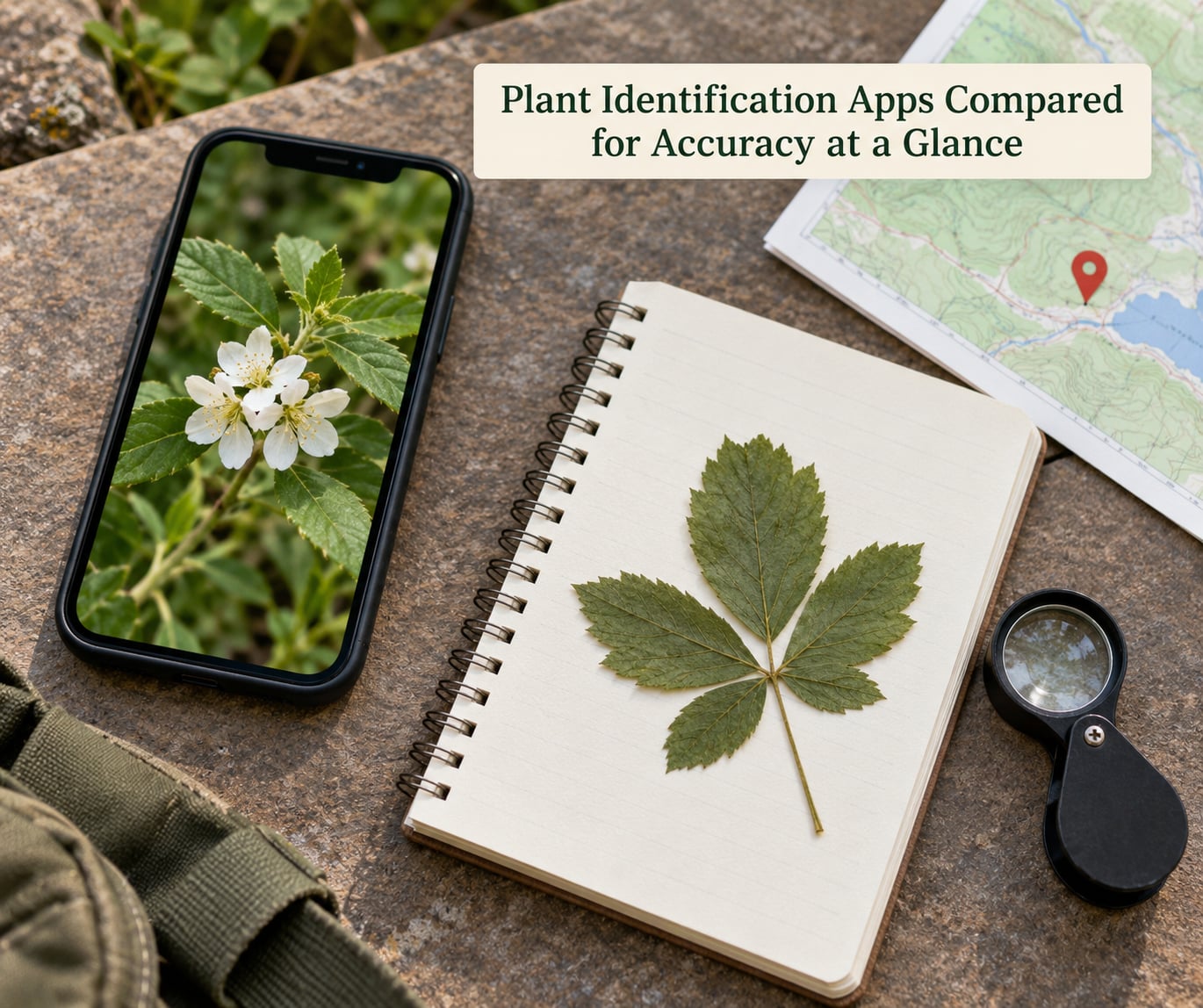
| Criterion | Pl@ntNet | Seek by iNaturalist | iNaturalist | PictureThis | Google Lens |
|---|---|---|---|---|---|
| What it optimises for | Species-level matching from several photos | Fast private identification on the device | Documented, verifiable observations | Garden plants, care and problem diagnosis | Broad visual similarity search |
| Typical result quality | Genus to species on well-photographed plants | Genus often; species less often | Depends entirely on community input | Strong on cultivated and garden species | Ranking of visually similar matches |
| Confidence indicator | Percentage per candidate taxon | Single match or no match | Community agreement level | Confidence score per suggestion | No scientific confidence figure |
| Works without a connection | Limited | Yes, identification runs on the device | Limited | Limited | No |
| Best for | First-pass screening of wild flora | Private, casual field use | Research records and expert check | Beginners learning garden plants | A quick second opinion |
| Weakness on medicinal plants | Thin coverage of many tropical and African species | Often refuses rather than guesses | Slow; depends on who is watching | Built for cultivated plants, not wild harvests | Prioritises looks, not taxonomy |
Read that table row by row rather than top to bottom. Accuracy is not a single property of an app. It is the result of what the model was trained on, what you photographed, what location you supplied, and whether a human ever checked the result.
One column deserves emphasis early. The “works without a connection” row is about identification, not about the surrounding features. Most apps need a signal for anything beyond the first guess, which matters in the places where plant knowledge actually matters.
Seek by iNaturalist: Best for Community Verification
Seek identifies plants on your phone without sending the photo to a server, which makes it the most private option here and the one that keeps working where there is no signal. It also returns a single answer rather than a long menu, which is a genuine feature when you are standing in a field with one plant in front of you.
The honest drawback is frequency. Users report “cannot identify” far more often with Seek than with apps that always guess, and that frustrates people who compare it to PictureThis. An extension agent who recommends Seek still says plainly that they have yet to find an app that is fully accurate, and cross-reference several sources instead.
That is the right way to read Seek’s refusals. A model declining to answer is not a failure of the tool; it is the tool telling you the image did not contain enough signal. Treat that as a prompt to take a better photograph, not as a defect to work around by trusting the next app that guesses.
Seek also nudges you toward posting the observation, which quietly builds the community record that iNaturalist runs on. If your plant is one the network already knows, that path is fast.
iNaturalist: Best for Research Observations
iNaturalist is the option for anyone whose identification needs to survive scrutiny, because every observation is a dated, geolocated, attributable record that other people can confirm or correct.
That structure changes what accuracy means. Instead of a single model output, you get a community consensus level attached to a proposed taxon, and you can see who identified it. For a research project or a herbarium submission, an observation with three agreeing identifiers and a photograph showing diagnostic features is worth far more than a phone screenshot.
The cost is time. Consensus identification can take hours or days, and on species that look alike to everyone watching, it can stall entirely. Practitioners describe cases where a plant sat unidentified for a long stretch simply because nobody on the network knew the genus.
For closely related medicinal species, this is where the method earns its place. Species in the same genus often separate on hairs, stipules, fruit, or the arrangement of flowers, and a network of people who know those characters is far more useful than a single prediction from a model that has never seen your plant.
PlantNet: Best for Rapid Photo Identification
Pl@ntNet gives the most useful first-pass identification of the plant apps in this comparison, because it accepts several photographs at once and you choose which plant part you are submitting. Photograph the leaf, the flower, the bark and the fruit, and the model has something to work with.
Researchers generally rank it among the more accurate options on herbaceous plants, and field users reach for it first when working with wild flora rather than garden specimens. A user on a rare houseplant forum described the practical pattern well: they use Google image search for houseplants and Pl@ntNet for wild plants.
Its weakness is coverage of exactly the plants this site cares about. The species that dominate European and North American training sets are well served. Many African, tropical and ethnobotanical species return a family-level answer with the correct genus missing, or a confident match to a related species that grows a continent away.
The confidence percentage is worth reading carefully. A low score with several candidates close together usually means the image was inadequate. A high score on a species with few records in the training set usually means the model was confident about a pattern rather than about your plant.
PictureThis: Best for Beginner Garden and Plant Learning
PictureThis is the app to recommend to someone who has never identified a plant before, because it identifies well, explains what it found, and tells you what to do next. Care reminders, watering schedules and problem diagnosis turn a name into a usable answer.
On cultivated and garden species the accuracy is respectable, and at least one user working with trees and outdoor plantings puts it around 90% in their own experience. Treat that as a personal estimate rather than a measured figure; the peer-reviewed ceiling for the best app overall was lower.
Two cautions. The first is scope: this is a gardening tool, and its training set reflects what people photograph, which is houseplants, ornamentals and garden weeds. Wild medicinal harvests are outside that set, and a polished interface does not change what the model has seen.
The second is billing. Users report free trials converting into annual subscriptions, difficulty cancelling, poor refunds, and at least one case of deleting the app without stopping the charge. If you do subscribe, set a reminder and manage it through your phone’s subscription settings rather than inside the app.
Google Lens: Best for Quick Visual Comparisons
Google Lens answers a different question from the plant apps: not “what species is this” but “what does this look like”. Point it at a plant and it returns a ranked set of visually similar images from across the web.
That makes it a good second opinion and a poor authority. A 2020 academic comparison of Lens recognition accuracy with other plant identification apps found it the most recommended option, with Seek and Flora Incognita named as alternatives. But visual similarity is not taxonomic identity, and search results will happily surface a well-photographed lookalike from a different continent.
Use Lens when you want to see the range of possibilities and when you are checking another app’s answer against a third source. Do not use it to establish that a plant is safe to eat, and do not treat the top result as a diagnosis.
What Makes an App’s Identification Accuracy Credible?
Accuracy claims are only useful when you know what was measured, and most published percentages fail that test. Understanding the ingredients of a credible result takes about five minutes.
Image quality and which plant part you photograph
The Galway study found that flower photographs produced better identifications than leaf-only photographs. Flowers carry more diagnostic characters: petal arrangement, stamens, ovary position and inflorescence structure.
Beyond that, shoot in open daylight rather than under a lamp, fill the frame with the plant rather than the surrounding scene, avoid backlighting, and take several angles. A blurred image with shadow across the leaf margin will produce a guess dressed up as a result.
Location and season data
Most apps narrow their answer using where you are and when the photo was taken. That filtering is powerful and also invisible: two people photographing the same species can get different answers depending on the location pinned to the frame. If you are collecting medicinal plants far from where you usually are, check that the location the app used is the location you are actually in.
Taxonomic coverage and regional bias
The training data behind these models is built largely from photographs taken in Europe and North America by people with cameras and internet access. Species with few labelled images degrade in two ways: the model returns a wrong relative, or it stops at genus.
This is the honest limit of the whole category for African medicinal plants. Many locally important species have no useful image record at all, and the traditional-knowledge plants that matter most to healers are exactly the ones least likely to be photographed: bark, roots, seeds, resins, and whole stems gathered out of season.
Species-level versus genus-level accuracy
“Correct” means different things in different reports. A genus-level ID on a difficult species is a real contribution, and a species-level ID on the wrong plant is a false answer with a percentage attached.
The two widely quoted user figures on this topic, roughly 59% and roughly 90%, are not contradictions. They describe different plant groups, different regions, different photo quality, and different thresholds for what counts as correct. A single headline number hides all four.
Independent observers and community verification
The last ingredient is a person who disagrees. A model output that nobody has checked is a guess; an observation confirmed by multiple identifiers, or deposited at a herbarium, is evidence. That is also why the published figures differ so much from vendor claims: independent testing counts errors that marketing does not.
The researchers behind the Galway study put it well with an analogy. A calculator is an excellent tool, but without basic arithmetic knowledge, someone using it could not tell if it was giving a strange answer. The same is true of identification apps, and it is why basic plant knowledge still matters.
How to Verify a Medicinal Plant Identification
Verify any identification before anyone uses a plant internally, gives it to a child, or applies it to broken skin. Six steps cover most situations.
- Photograph the whole plant first. Get the growth habit, leaf arrangement and overall form before you photograph anything else. A close-up without context is the single most common reason a correct plant gets a wrong name.
- Photograph each diagnostic part separately. Leaf upper and lower surface, margin at close range, stem node, flower including the ovary, fruit and seed, and bark. Include a coin or a familiar object for scale.
- Record location, habitat and date. Note soil type, altitude, whether it grows in full sun or shade, and what grows beside it. Records go to a herbarium and make expert confirmation far easier later.
- Run a second app on the same images. Use a different engine, such as Pl@ntNet alongside Google Lens. Where two independent methods agree, your confidence rises sharply. Where they disagree, treat the disagreement as information, not as noise to average away.
- Compare against written descriptions, not photographs alone. Work through a regional flora, a field guide or a national herbarium key, matching the characters the source lists. Photographs mislead; character descriptions are what identification is built on.
- Ask a person. A local botanist, a herbarium, a university extension office, or an experienced practitioner who knows the plant in its habitat. For anything ingested, a clinician or pharmacist should review the question before use, not after.
Two extra rules for this context. Never take a photo of a plant you cannot confirm in order to harvest it, and never let an app result be the reason a specimen leaves the basket. Identification and harvest are separate decisions.
When apps and written sources conflict, the written sources win until the conflict is resolved. When apps and an expert conflict, the expert wins, and it is worth recording the disagreement for the people who come after you.
Which Should You Choose?
Match the app to the task rather than ranking them permanently, because the best app depends on the plant group you are working with. Practitioners report cases where one app identified a plant another refused entirely.
- Learning common garden plants: PictureThis, because it names the plant and then explains what to do about it.
- Rapid first-pass screening of wild flora: Pl@ntNet, submitted as several photographs with the plant part selected.
- Working where there is no signal, or where photos must stay on the device: Seek by iNaturalist.
- Research, conservation survey or a record that must hold up later: iNaturalist, with community and expert identifiers attached.
- Comparing possibilities against a wide range of images: Google Lens, used as a second or third opinion.
- Formal medicinal-plant research: Pl@ntNet for screening, iNaturalist for the verifiable record, and a herbarium or botanist for anything that ends in preparation or dosage.
If you can only install one, install Pl@ntNet and pair it with a regional field guide. The app gets you to a plausible genus faster than any alternative, and the guide is what turns a plausible answer into a defensible one.
Frequently Asked Questions
Which plant identification app is most accurate for wild medicinal plants?
None is accurate enough to rely on alone for wild medicinal plants. In a 2023 PLOS ONE study of six apps against 38 herbaceous species, the best app reached 80 to 88 percent species-level accuracy and at least one species in five was misidentified. Use an app for a first-pass genus, then confirm with written descriptions, a herbarium and a qualified botanist before any use.
Can plant identification apps reliably distinguish closely related plant species?
Only sometimes. Species in the same genus often separate on features an app weighs lightly: hairs, stipules, fruit structure, flower arrangement and stem cross-section. Where those characters decide the name, a photo alone will not settle it. That is precisely the case for community identification, a regional flora key and expert confirmation rather than a single prediction.
Why does the same plant receive different names in different identification apps?
Each app uses a different training set, a different photo pipeline, and a different confidence threshold, and most narrow results by the location and date attached to your photo. One engine may return the species while another stops at the genus, and both can be defensible. Disagreement between apps is normal and is a reason to verify, not a reason to pick the answer you prefer.
What photo features help an app identify a plant more accurately?
Shoot in open daylight, fill the frame with the plant, avoid backlighting, and photograph diagnostic parts separately: leaf upper and lower surface, margin, stem node, flower including the ovary, fruit and bark. The Galway study found flower photographs outperformed leaf-only photographs. Include something familiar for scale and submit several images rather than one.
Are plant identification apps safe for deciding which medicinal plants to use?
No. No app, and no single research finding about an app, establishes safety for ingestion, and a toxic lookalike can be returned with high confidence. Identifications should be confirmed against written botanical descriptions and by a qualified botanist or herbal knowledge holder, and anyone considering internal use should speak with a clinician or pharmacist first.
Should I use more than one app when identifying an African medicinal plant?
Yes. Two independent engines agreeing raises your confidence a long way, and disagreement is useful information about which characters are ambiguous. For African medicinal species specifically, add a regional flora or herbarium record, because several apps have thin or absent coverage there. A documented observation with expert identifiers is worth more than any single app result.
Conclusion: Use Apps as a Starting Point, Not the Final Word
Plant identification apps compared for accuracy give you a fast, useful first pass and a documented path to a real answer, which is more than any field guide in a pocket can do. The ceiling for the best of them is 80 to 88 percent at species level, with at least one species in five misidentified.
Start with a clear diagnostic photograph, run a second app when the stakes are high, and confirm anything medicinal with written botanical descriptions and a qualified botanist, herbarium or clinician before it is used.